What this lab covered
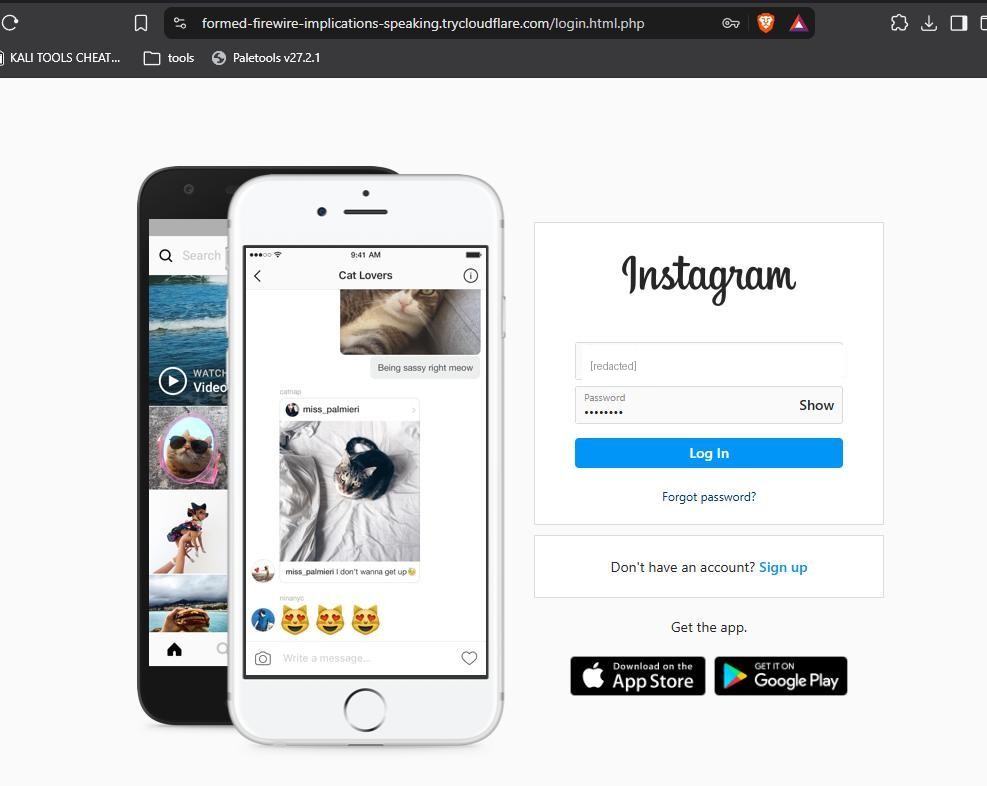
The human attack surface. Using PyPhisher in the lab, I looked at how a credential-harvesting page is stood up — a convincing clone of a login page that captures whatever a victim types and hands the attacker a working username and password.
Steps
- Launch PyPhisher. Run the tool and pick a template (here, an Instagram login clone).
- Expose the page. PyPhisher serves the clone and tunnels it out (via a Cloudflare link) so it is reachable with a normal-looking URL.
- Deliver the pretext. The link would be sent to the target wrapped in a believable reason to log in.
- Capture. When the victim enters their credentials, the page records them and the attacker reads them from the PyPhisher console.
What I took from it
How little technical sophistication a phishing attack actually needs. The hard part isn't the page — tools generate that in seconds — it's the pretext that makes someone click and trust it. No firewall or patch stops a user from entering their password into a page that looks right, which is exactly why phishing stays one of the most common ways in.
Defender's view
Because the target is the person, the controls are layered: phishing-resistant MFA (FIDO2/passkeys) so a stolen password alone is useless, email filtering and link rewriting, user-reporting workflows, and regular awareness training. Defence here is about making a single mistake survivable rather than expecting no one to ever click.
Practised only in a controlled lab against my own test account, for defensive understanding.